
For urban renewal contractors
Track your urban renewal project in one place
In Türkiye, ageing buildings are demolished and rebuilt under the urban renewal (kentsel dönüşüm) programme. KentFy brings a contractor's expenses, crew timesheets, costs, site activities and calendar into one app. Flat owners see where their project stands on their own screen, without having to call.
Runs in a web browser; mobile apps coming soon. The app interface is in Turkish.
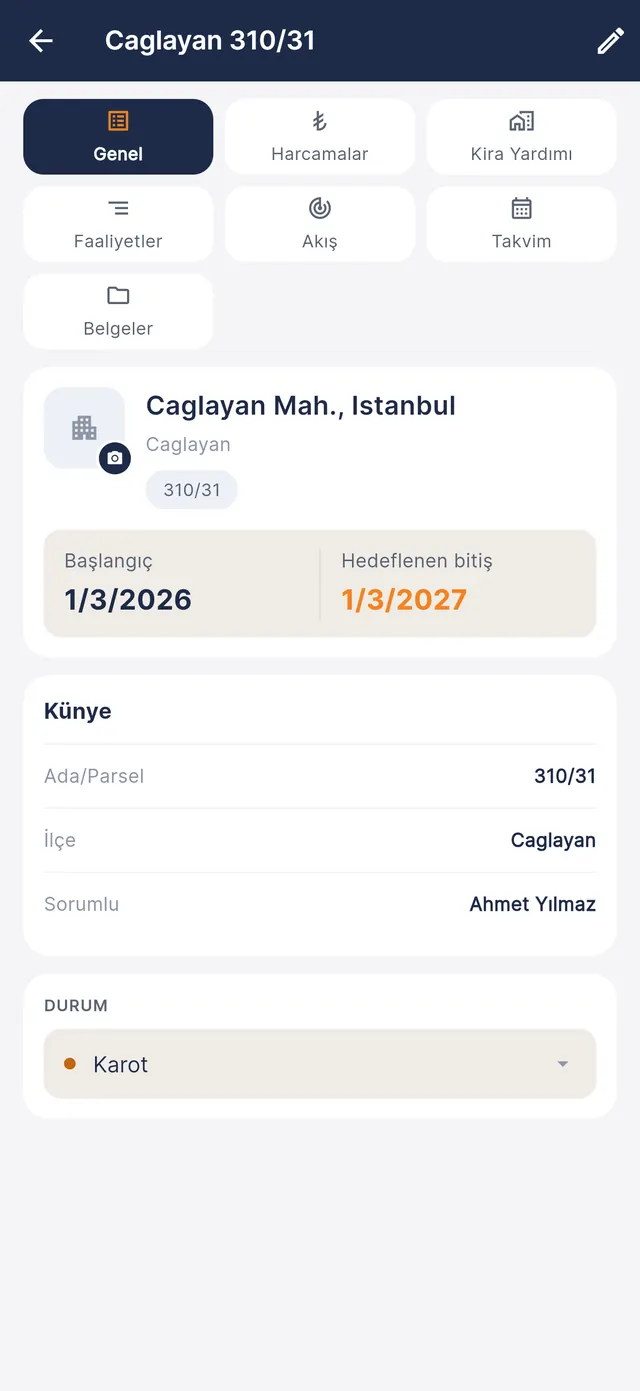
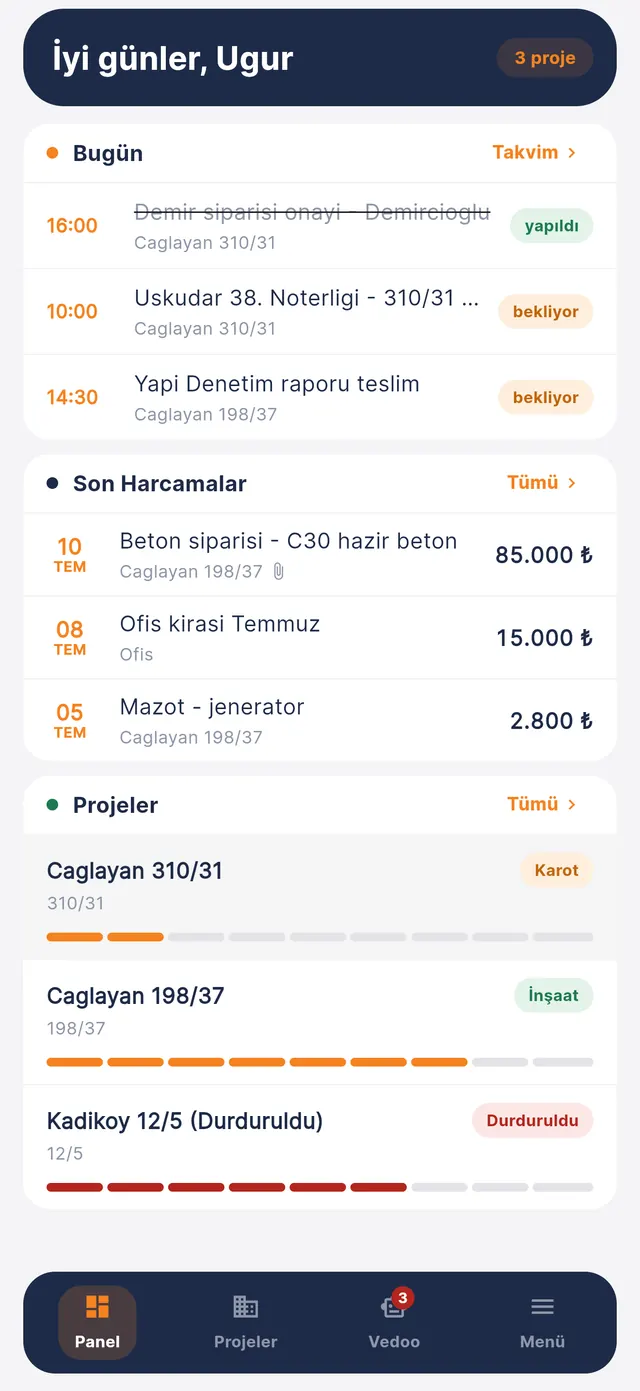
A Nazka Yapı product — built from the daily work of urban renewal sites in Istanbul.
- Works in the browser
- A separate screen for flat owners
- Role-based access
- Each firm's data isolated
Why KentFy
From scattered files to a single record
Today the information of a renewal project is scattered across many places. KentFy brings it together, per project.
The old way
- Expenses in a spreadsheet, receipts in a folder
- Decisions and photos lost in messaging groups
- The crew's working days in a notebook
- Learning what a regulation article says means queueing at the municipality
- Flat owners call to ask "when will it be finished?"
With KentFy
- An expense entered with a photo of the receipt is booked to the right project at once
- Activities, meetings and reminders on the project calendar
- Timesheets in the app; who is owed how much is visible
- Regulation questions are answered in the app, with the article they rest on
- Flat owners follow the project's status on their own screen
Dashboard
Everything on one screen
Open the app and the state of the firm is in front of you: money, debt, work and crew. No hunting through menus for a number.
- Income · expense · netFor the project and period you pick, in one band at the top.
- Card and cheque debtCredit card and cheque debt shown separately.
- Expenses and costTotal spending and project cost side by side.
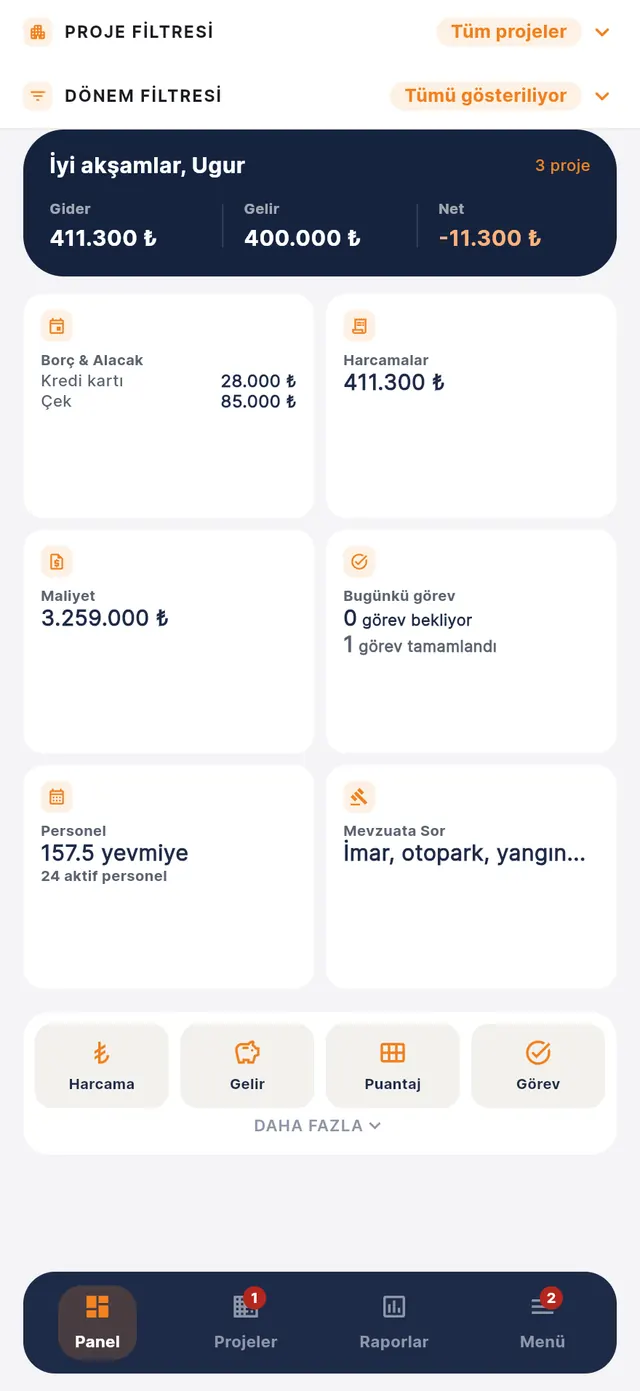
- Today's tasksPending and completed tasks at a glance.
- Crew on siteTotal day-wages and the number of active personnel.
- Ask the regulationsThe AI assistant is one tap away.
The project and period filters narrow the dashboard to the project and month you want; expenses, income, timesheets and tasks are entered with one tap from the quick buttons below.
AI
A regulation expert, now in your pocket
No more queueing at the municipality just to learn what an article says. Type your question in your own words; the AI-assisted regulation assistant finds the relevant Turkish law or regulation article and answers briefly and clearly.
- Ask in your own wordsNo article numbers or jargon needed; the answer is short, clear and in Turkish.
- The source in front of youEvery answer shows the article it rests on and its Official Gazette (Resmî Gazete) reference. If it cannot find a basis, it does not make one up — it says it found no clear article.
- More than 100 laws and regulationsZoning, parking, fire safety, lifts, earthquakes, urban renewal (Law 6306), contracts and sales.
- Your conversations are keptCome back to earlier questions whenever you need.
Questions you can ask
- What majority is needed for a building to enter urban renewal?
- How soon after the building permit must construction start?
- What is the delivery period for off-plan (prepaid) housing sales?
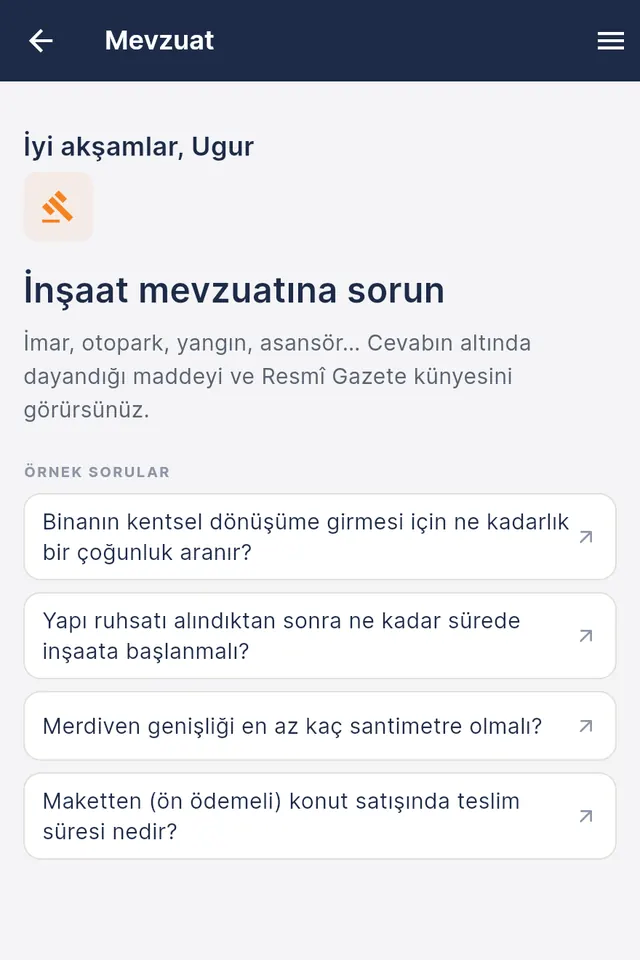
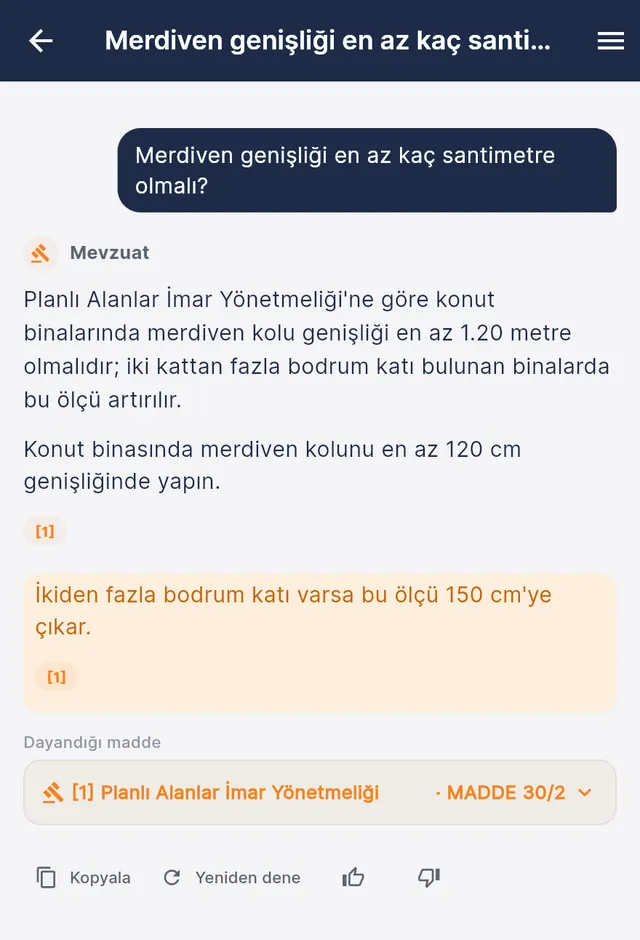
The regulation assistant is for guidance; official applications and approvals are made with the relevant authority. The question and answer in the image are a sample screen.
What it does
Built for the daily work of a site
The firm's owner and team see every record in the right project the moment it is entered.
Expenses and debt
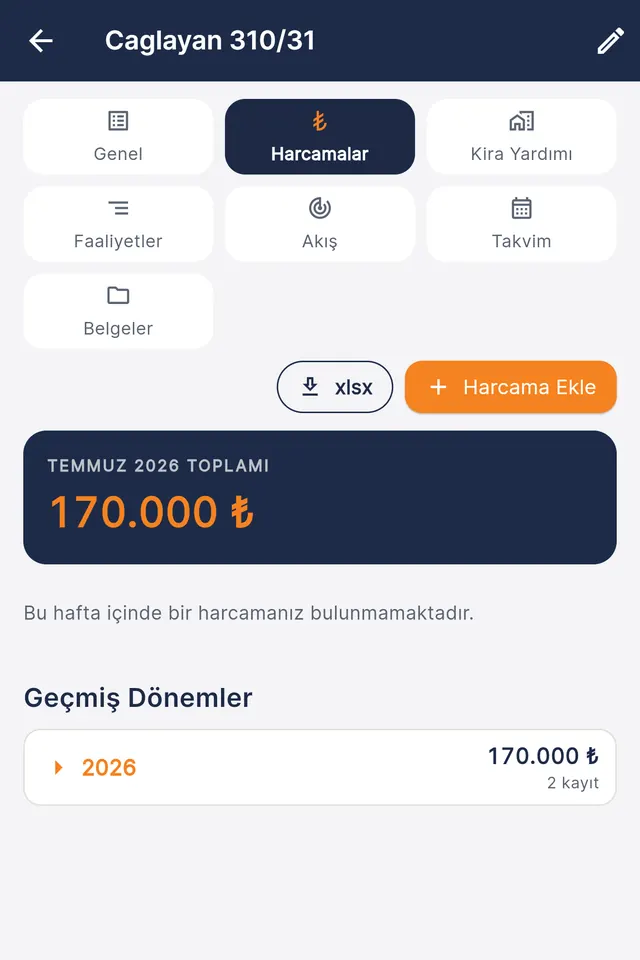
Add a receipt or invoice with a photo; the expense is booked as project cost, while credit card and cheque debt is tracked on the payment account. No end-of-month surprises.
- Period totals and past periods on one screen
- Expense lists download as Excel (xlsx)
- Records can also be entered by typing or a voice message to the in-app assistant
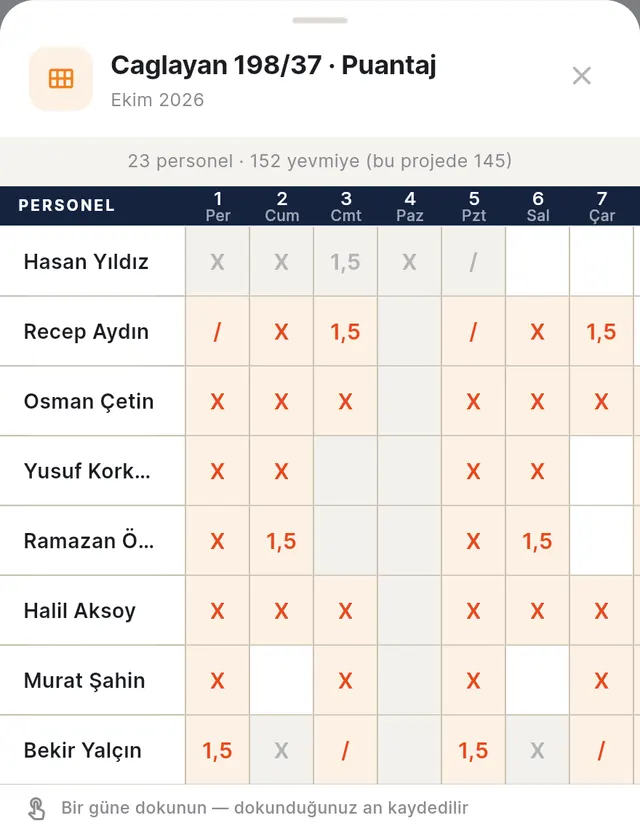
Timesheets: one tap per day
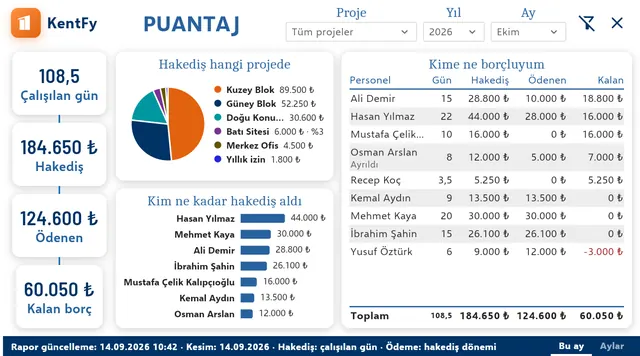
Mark who worked which day on the monthly grid; a day is saved the moment you tap it. Earnings are calculated from the day records, so there is no second ledger to keep.
- Half day, full day, overtime (1.5) — each tap on the same day changes the value
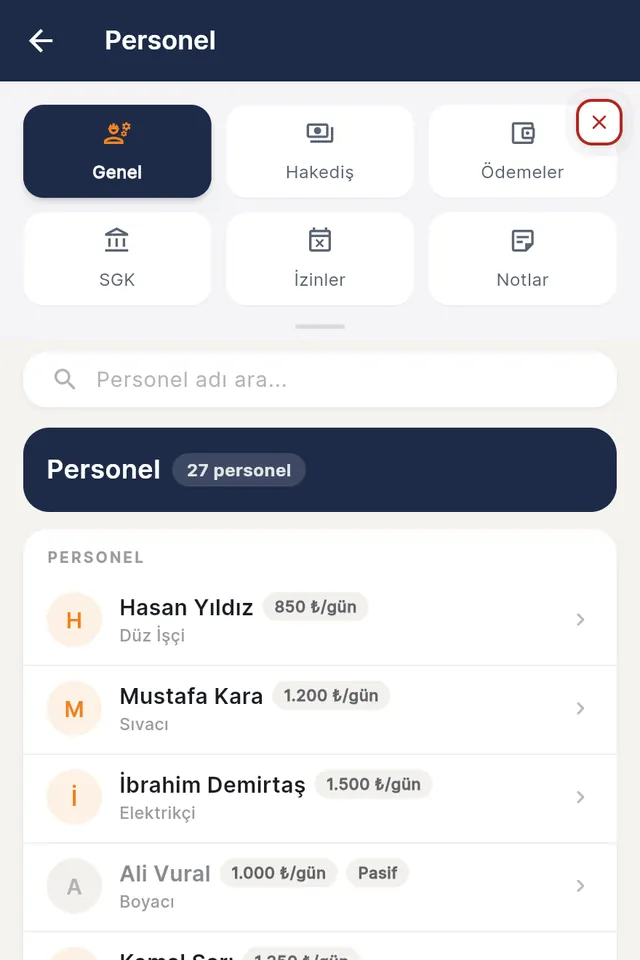
- Personnel card with daily wage, earnings and payments made
- A payment is split across the projects the person worked on and booked as cost
- The timesheet report shows who earned how much and what is still owed
Documents and document sets
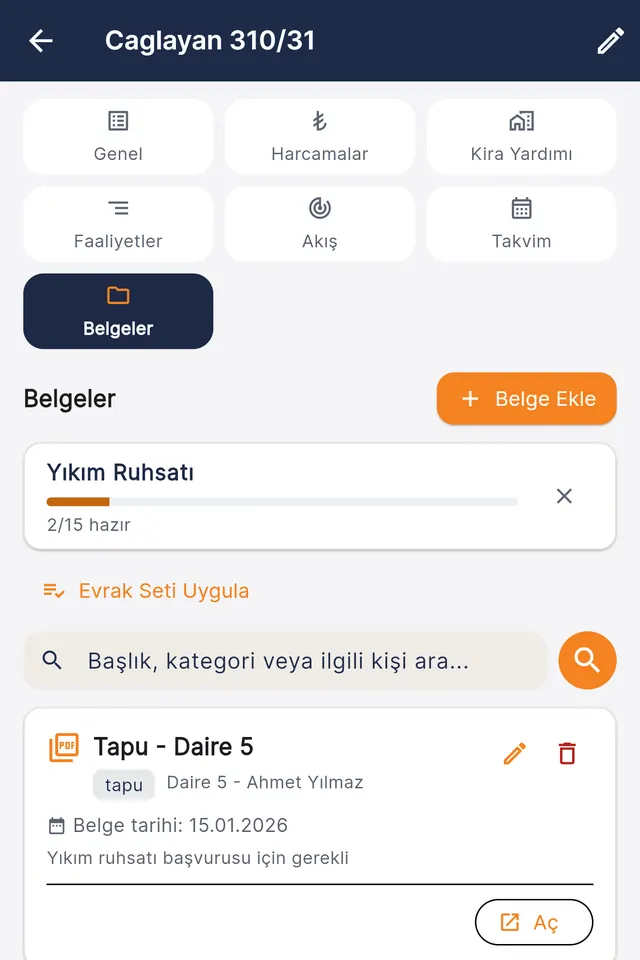
Title deeds, zoning certificates, permit paperwork — all in a per-project archive. A document set shows which papers are ready for an application.
- AI suggests fields from an uploaded document; nothing is saved until you approve it
- Search by title, category or related person
- A regulation question? Ask the regulation assistant.
Every project at a glance
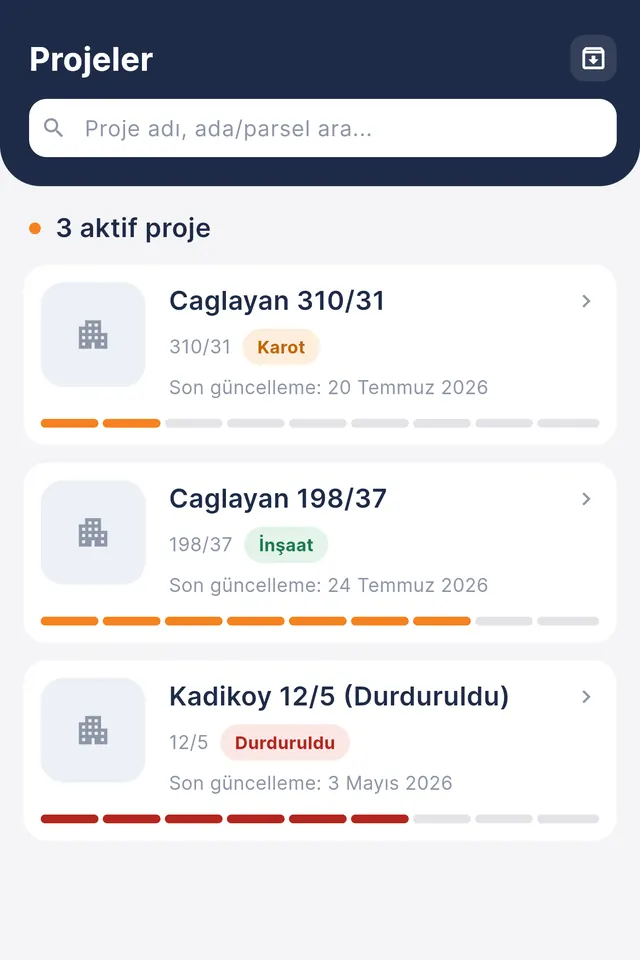
For firms running several renewal projects at once: each project's stage and progress in one list, and a paused project does not slip out of sight.
- Search by project name or plot number
- Today's tasks and recent expenses on the dashboard
- Team members get access according to their permissions
Cost
A quick estimate from plot and floor area, an itemised bill of quantities and a comparison with actual spending — on the same list of cost items.
Activities and calendar
Site work, meetings and reminders are recorded per project; you choose which ones flat owners can see.
Draft floor plans
A draft 2D floor plan from the plot and room programme, so "what will we get?" is answered with a picture before the contract. The permit design remains the architect's job.
Reports
Are we making money? Reports tell you at a glance
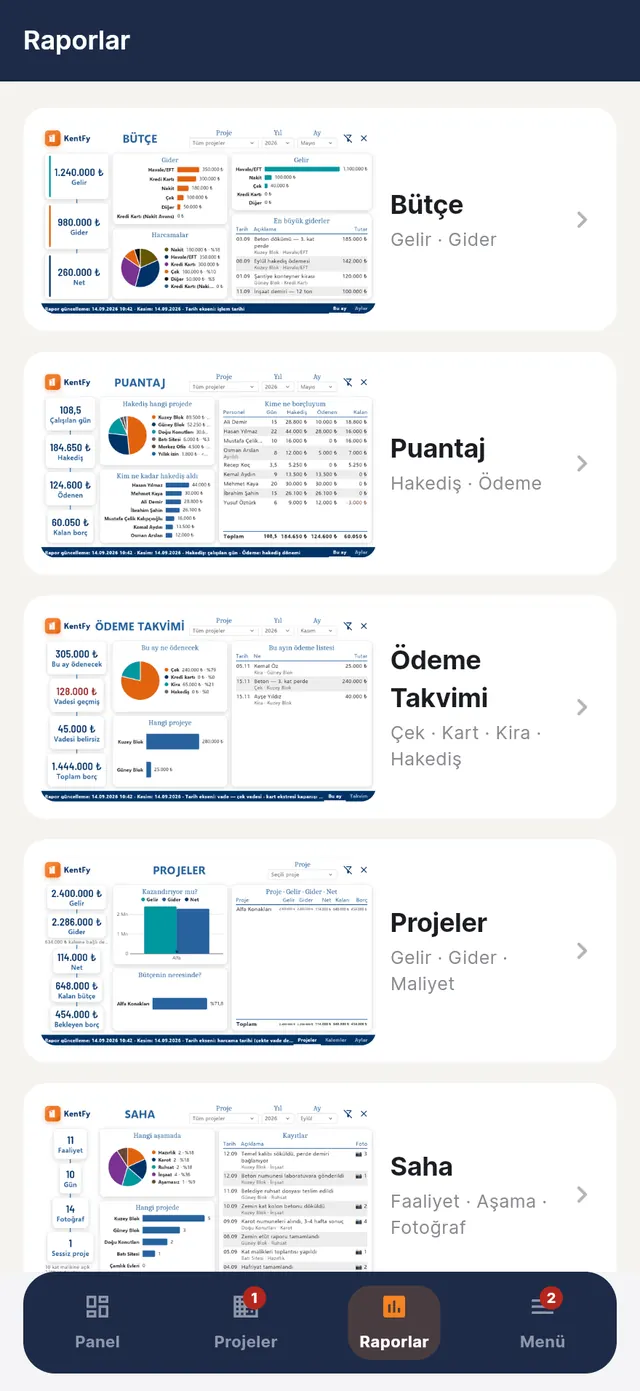
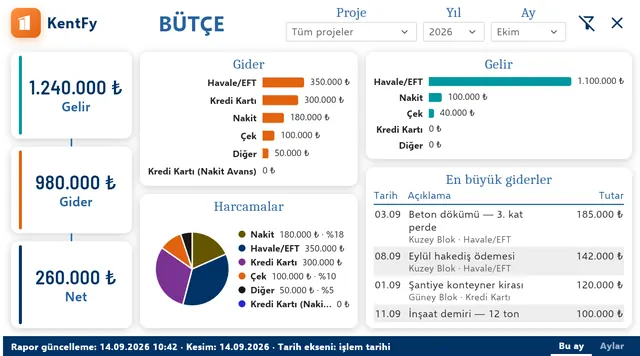
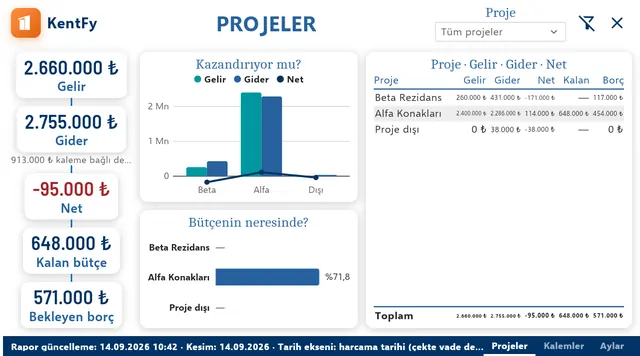
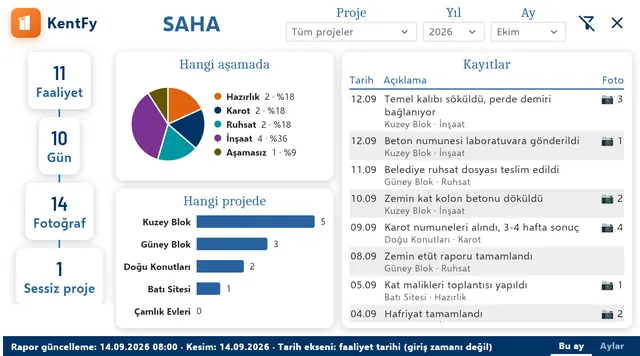
Every expense, income, timesheet and activity you enter flows into five ready-made dashboards on its own. Pick a project, year and month; the dashboard does the rest.
- BudgetIncome, expense and net; where did the money go, what were the biggest expenses?
- TimesheetsDays worked, earnings, paid; who do we owe how much?
- Payment calendarCheques, cards, rent and wages; what is due this month, is anything overdue?
- ProjectsAre we making money, where are we in the budget, how much debt is pending?
- SiteActivities, days and photos; which project is at which stage?
For flat owners
They see where the project stands without having to call
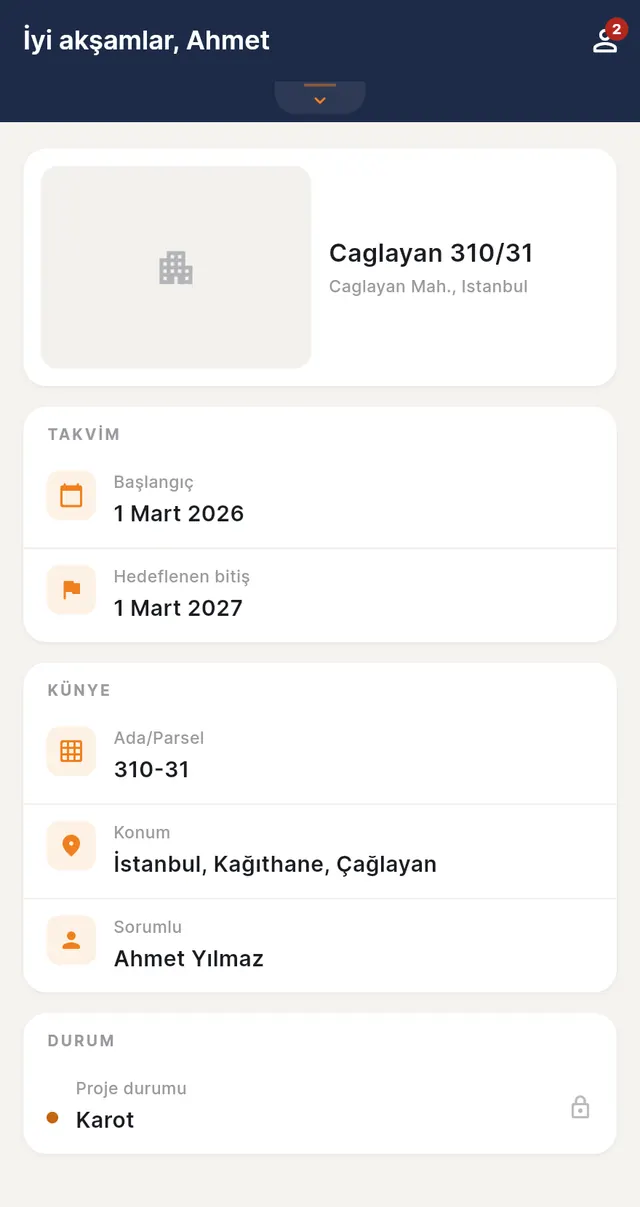
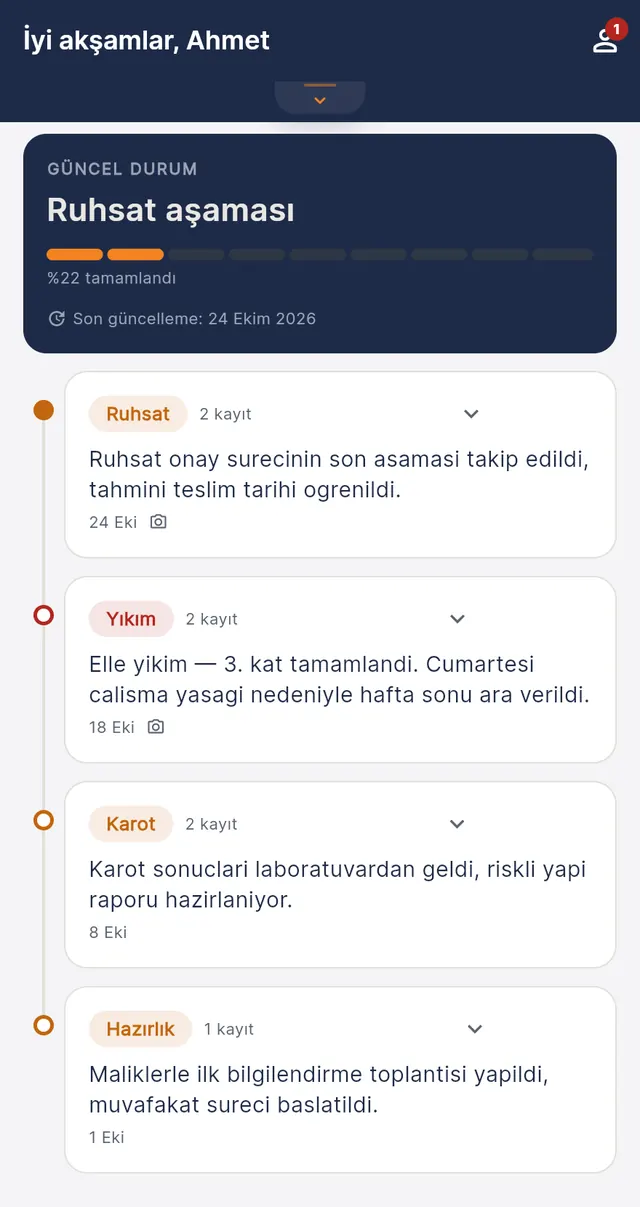
Right holders whose building is being renewed join by invitation and follow, on their own screen, which stage the project is at and what was done on site. The contractor chooses which activities to share; the rest updates on its own.
- Current stage and percentageWhich stage the project is at and how much is complete, right at the top.
- Activity timeline with photosPermit, demolition, core testing… every shared activity dated on a timeline; with a weekly summary.
- Project details and target completionBlock/plot, location, start and target end date; shared floor plan drawings.
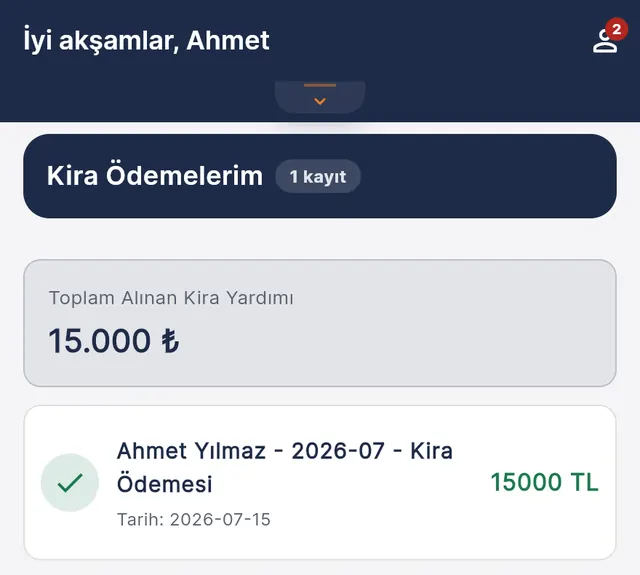
- Rent assistance paymentsThe rent payments made to them and their total, on record.
A flat owner sees only their own project and the activities the contractor has shared.
How it works
Get started in three steps
Set up your firm and project
Create your account and add your renewal projects.
Invite your team and flat owners
Everyone joins through an invitation link with their own role; a flat owner only sees their own project.
Record it, everyone sees it
As expenses, timesheets and activities are entered, reports and the flat owner screen update on their own.
Bring your project into one place today
Open the app now, or get in touch for a demo, a question or a suggestion.